What is brickbyclick?
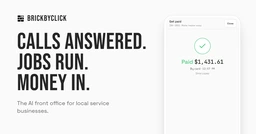
BrickByClick is an intelligent operations layer for small businesses, providing an all-in-one platform for managing calls, jobs, payments, and numbers. It includes an AI receptionist, a CRM, a crew app, and a website, all designed to streamline business operations. The AI receptionist answers every call and books jobs, while the CRM tracks jobs and collects payments.
- Website
- brickbyclick.ai
- Category
- Sales & CRM
- Pricing
- Paid
- Platforms
- web
- Compared with
- Zoho CRM, Freshdesk, HubSpot
About brickbyclick
The platform works by setting up the AI receptionist, CRM, and website, and then walking the business through the system. It includes features such as job tracking, estimates, invoices, and card payments, as well as a monthly business report. The AI receptionist can be trained to answer frequently asked questions and book new visits into the calendar.
BrickByClick suits small businesses in various industries, including plumbing, HVAC, electrical, and more. The platform is offered on a month-to-month basis, with no setup fees, and is live in about two weeks. The limited-time price for the Front Office plan is $249/month, locked for 12 months, and sign-up is available until November 30.
- The problem
- Small businesses struggle to manage calls, jobs, payments, and numbers, leading to inefficiencies and lost revenue.
- How it solves it
- BrickByClick provides an intelligent operations layer that streamlines these processes, allowing small businesses to focus on growth and customer satisfaction.
- What makes it different
- BrickByClick differs with its AI receptionist and crew app for streamlined operations.
Key features
- AI receptionist
- CRM
- Crew app
- On-the-spot payments
- Monthly business report
Product details
Optional maker-provided information published with the launch. Confirm current details on the official website.
- Key features
- AI receptionist
- CRM
- Crew app
- On-the-spot payments
- Monthly business report
- Pricing model
- Paid
- Platforms
- Web
- Tech stack
- Not provided
How brickbyclick works
- Sign up for a 15-minute demo
- Set up AI receptionist and CRM
- Walkthrough of the system
Use cases
Job Booking
BrickByClick's AI receptionist books new visits into the calendar, within the business's rules and hours.
Payment Processing
The platform allows customers to pay on the spot, with the invoice filling in from the parts used.
Job Tracking
The Job tracker shows every job from the first call to paid, and marks what's stuck on the business's side.
Who brickbyclick is for
- Small business owners
- Service-based businesses
- Local businesses
Questions about brickbyclick
Do I have to sign a contract?
No, every plan is month to month, with no setup fees, and can be cancelled at any time.
How long until it's running?
About two weeks, from the initial demo to being live.
What does it cost to take payments?
Stripe's standard processing fees, plus a BrickByClick fee of 0.5% per card payment, at most $25 a payment.
Can I keep my current website?
Yes, the AI receptionist, CRM, and payments work with any website, and can be connected in the CRM.
Do I need a Stripe account?
No, turning on card payments makes one for you in about 10 minutes, or you can keep your current payment methods.
This page was written from brickbyclick.ai's own website on Nov 24, 2026. Prices and features can change, so check the website for the latest. Are you the maker? Claim it to edit and launch it, or remove it.