
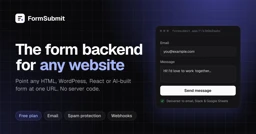
What is FormSubmit?
FormSubmit is a headless form backend that allows users to receive form submissions from any website by email, webhook, Slack, Discord, or Google Sheets. It solves the problem of having to write server code to handle form submissions. FormSubmit provides a simple endpoint that can be used with any HTML, WordPress, React, or Next.js form.
- Website
- formsubmit.app
- Category
- Developer Tools
- Pricing
- Free plan with paid upgrades
- Platforms
- web
- Compared with
- Formspree, Formkeep, Basin
About FormSubmit
FormSubmit works by allowing users to point their form's action at the service's endpoint, which then stores the submission, filters spam, emails the user, and forwards the data to other tools. The service includes features such as spam protection, file uploads, and webhooks. Users can create a form, point their site at it, and watch submissions arrive by email and in Google Sheets, with spam filtered out automatically.
FormSubmit is suitable for anyone who needs to handle form submissions, including developers, small businesses, and large enterprises. The service offers a free plan, as well as several paid plans, including a Starter plan for $10/month, a Pro plan for $25/month, and a Business plan for $50/month. The pricing plans include varying levels of features, such as the number of forms, submissions per month, and file storage.
- The problem
- Running forms on a website can be hard, especially for static sites or those without a backend, due to issues like deliverability, spam bots, and file storage.
- How it solves it
- FormSubmit provides a headless form backend that handles these issues, allowing users to receive form submissions by email, webhook, or other integrations, with spam protection and file storage included.
- What makes it different
- FormSubmit's simplicity, ease of use, and inclusion of every feature on every plan, including the free plan, set it apart from other form backend services.
Key features
- Email notifications
- Spam protection
- File uploads
- Webhooks
- Autoresponder
- Domain allowlist
Product details
Optional maker-provided information published with the launch. Confirm current details on the official website.
- Key features
- Email notifications
- Spam protection
- File uploads
- Webhooks
- Autoresponder
- Domain allowlist
- Pricing model
- Freemium
- Platforms
- Web
- Tech stack
- Not provided
How FormSubmit works
- Create a form
- Point form at endpoint
- Receive submissions
Use cases
Contact Forms
FormSubmit can be used to handle contact form submissions from any website, with features such as spam protection and email notifications.
Survey Forms
FormSubmit can be used to handle survey form submissions, with features such as webhooks and integrations with Google Sheets.
E-commerce Forms
FormSubmit can be used to handle e-commerce form submissions, with features such as file uploads and payment processing integrations.
Who FormSubmit is for
- Developers
- Small businesses
- Large enterprises
Questions about FormSubmit
What is FormSubmit?
FormSubmit is a headless form backend that receives HTML form submissions and does something useful with them, such as storing each submission, filtering spam, emailing the user, and forwarding the data to other tools.
Do I need to write server code to use FormSubmit?
No, FormSubmit does not require users to write server code. Users can simply point their form's action at the service's endpoint and the service will handle the rest.
Is FormSubmit free?
Yes, FormSubmit offers a free plan that includes 1 form, 50 submissions per month, and 100 MB of file storage, with spam protection and every integration.
What happens if I go over my monthly submission limit?
If a user goes over their monthly submission limit, FormSubmit will continue to accept and store submissions, but new ones will be locked until the user upgrades or the next month.
This page was written from formsubmit.app's own website on Nov 22, 2026. Prices and features can change, so check the website for the latest. Are you the maker? Claim it to edit and launch it, or remove it.
More Developer Tools
 LibreDB StudioDatabase IDE for teams to manage PostgreSQL, MySQL, MongoDB, and more
 kosemCoding agents with native environments, identity and access for developers
 NeanderBuilds SaaS clones using open-weight models for SaaS builders
 SpillwayLoad tests HTTP APIs for macOS users
 Kadmo: AI AgentsAI coding agent platform for agentic engineering
 AI Prime TechProvides API access for Claude, Codex, and GPT models