
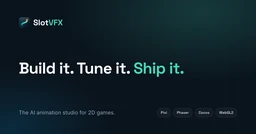
What is SlotVFX?
SlotVFX is an AI animation and VFX studio for 2D games. It solves the problem of creating animations and effects for games by providing a comprehensive toolset. The product allows users to create particle effects, character and Spine animation, game moments, transitions, trailers, and logo reveals in one editable project. This can be done by hand or with the user's own AI assistant.
- Website
- slotvfx.com
- Category
- Design & Creative Tools
- Pricing
- Free plan with paid upgrades
- Platforms
- web, windows, macos
- Compared with
- After Effects, Premiere Pro
About SlotVFX
SlotVFX works by providing a desktop editor where users can create and edit their animations and effects. The editor supports various features such as particles, emitters, path anchors, emission shapes, force fields, and masks. Users can also connect their own AI assistant to the editor using a compatible MCP connection. The editor allows for real-time previewing and editing of effects, and users can export their work to various game engines and formats.
SlotVFX is suitable for game developers, studios, and artists who need to create animations and effects for their 2D games. The product is offered with a free desktop editor, and paid plans are available for cloud sync, game export, and other features. The pricing is based on the user's currency, with INR pricing in India and USD elsewhere.
- The problem
- Game developers spend days on effects work, only to have to redo it all when timing changes.
- How it solves it
- SlotVFX allows artists to make all animations in one editable project, streamlining the animation process and saving time and effort.
- What makes it different
- SlotVFX does the job of After Effects and Premiere Pro, with more than 100 tools for assistants and the ability to connect to Claude or ChatGPT.
Key features
- AI animation
- VFX studio
- 2D game support
- Spine animation
- Editable projects
- Cloud sync and share links
Product details
Optional maker-provided information published with the launch. Confirm current details on the official website.
- Key features
- AI animation
- VFX studio
- 2D game support
- Spine animation
- Editable projects
- Cloud sync and share links
- Pricing model
- Freemium
- Platforms
- Web, Windows, macOS
- Tech stack
- Not provided
How SlotVFX works
- Create account and download editor
- Connect AI assistant using MCP
- Build and edit effects in editor
Use cases
Game Effects
Create particle effects, character animations, and transitions for 2D games
Trailers
Create trailers and showcase reels for games using SlotVFX
Logo Reveals
Create logo reveals and other animated elements for games and applications
Who SlotVFX is for
- Game developers
- Game studios
- 2D game artists
Questions about SlotVFX
What runtimes do you target?
The same project exports to Pixi 7+, Phaser, Cocos Creator 3.8, and a WebGL2 standalone player.
Can my assistant build an effect and put it in my game?
Yes, connect your own Claude or ChatGPT assistant to SlotVFX Desktop to build editable effects and export a runtime.
How does billing work?
Plans are billed monthly or annually in advance and expire unless you manually renew.
Is there a trial?
Yes, Trial Starter lets eligible accounts try Cloud Solo features, including exports, cloud sync and share links.
This page was written from slotvfx.com's own website on Nov 24, 2026. Prices and features can change, so check the website for the latest. Are you the maker? Claim it to edit and launch it, or remove it.
More Design & Creative Tools
 MakerollAI clip maker for TikTok, Reels and Shorts creators
 LoquendoConverts text to audio for storytellers
 LassoCutRemoves image backgrounds for e-commerce sellers
 FontsightIdentifies fonts on web pages for designers and developers
 PlimoAI image and video generator for creating and editing content
 MethodhelmAI photo editor for removing backgrounds and objects