

What is LinkMartin?
LinkMartin is a Chrome extension and AI bookmark manager that saves any page, writes a description and tags, and puts it back in front of you — in your browser sidebar, right inside your Google results, or in Claude, ChatGPT, and Codex when you ask. It solves the problem of disorganized bookmarks by providing a private and searchable library. The product is offered by Nextmeta Group LLC and is available for free, with optional paid upgrades. LinkMartin works by saving pages, writing descriptions and tags, and making them searchable. It also integrates with Claude, ChatGPT, and Codex, allowing users to search and save pages from within these assistants.
- Website
- linkmartin.com
- Category
- Productivity
- Pricing
- Free plan with paid upgrades
- Compared with
- Pocket, Raindrop, Instapaper
About LinkMartin
LinkMartin's main capabilities include saving pages, writing descriptions and tags, and making them searchable. It also suggests related bookmarks and allows users to share categories as collections. The product is available for free, with 50 AI credits every 30 days, and five categories. The paid plan, Pro, offers unlimited AI credits, unlimited categories, and additional features such as custom AI instructions and the ability to use your own AI key. LinkMartin is suitable for individuals who want to organize their bookmarks and make them searchable, and is priced as a free product with optional paid upgrades.
LinkMartin is suitable for individuals who want to organize their bookmarks and make them searchable. It is priced as a free product, with optional paid upgrades to the Pro plan, which costs $5 a month or $50 a year. The free plan includes unlimited saves, five categories, and 50 AI credits every 30 days, while the Pro plan offers additional features such as unlimited AI credits, unlimited categories, and custom AI instructions.
- The problem
- Difficulty in managing and searching bookmarks across different platforms
- How it solves it
- LinkMartin provides an efficient way to save, organize, and search bookmarks using AI-powered descriptions and tags
- What makes it different
- Integrates with AI assistants and provides custom AI instructions on Pro plan
Key features
- Saves pages with descriptions and tags
- Searches titles, descriptions, tags, and web addresses
- Integrates with Google search and AI assistants
- Imports bookmarks from other tools
- Exports bookmarks and never blocks deletion
- Allows custom AI instructions on Pro plan
Product details
Optional maker-provided information published with the launch. Confirm current details on the official website.
- Key features
- Saves pages with descriptions and tags
- Searches titles, descriptions, tags, and web addresses
- Integrates with Google search and AI assistants
- Imports bookmarks from other tools
- Exports bookmarks and never blocks deletion
- Allows custom AI instructions on Pro plan
- Pricing model
- Freemium
- Platforms
- Not provided
- Tech stack
- Not provided
How LinkMartin works
- Save a page
- LinkMartin writes description and tags
- Search for bookmarks
Use cases
Research
LinkMartin helps researchers organize and search their bookmarks, making it easier to find relevant information.
Study
Students can use LinkMartin to keep track of relevant articles and websites, and search for specific information.
Work
Professionals can use LinkMartin to organize their bookmarks and quickly find relevant information, increasing productivity.
Who LinkMartin is for
- Individuals
- Researchers
- Students
Questions about LinkMartin
Do I need an account?
Not to start. Saving, search, sorting, the tags you write yourself, the card in Google, import, and export all work signed out. An account adds two things: AI descriptions and tags, and sync.
Is it really free?
Yes. Unlimited saves, five categories, and 300 AI credits in your first 30 days, then 50 every 30 days — with no time limit and no trial that expires.
Can I move in from Pocket or Raindrop?
Yes. Import an HTML or CSV file from any tool — Pocket, Raindrop, Instapaper, any browser — or bring your Chrome bookmarks across in one click. Folders become tags, so your structure survives.
How does search find things?
It matches the words you type against titles, descriptions, tags, categories, and web addresses — words, not meanings. Every word has to be there, whole or as the start of a longer one: 'flight' finds 'flights', but 'cheap flights' will not find 'budget airfare'.
This page was written from linkmartin.com's own website on Nov 22, 2026. Prices and features can change, so check the website for the latest. Are you the maker? Claim it to edit and launch it, or remove it.
More Productivity
 Prime CalendarCoordinates shared schedules and automates routine work for individuals and teams
 WarrenProject management for teams of all kinds
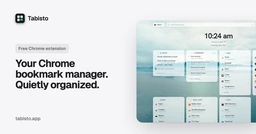 TabistoVisual bookmark manager for Chrome users
 bytemailNative email app for Mac users
 TutarisOrganizes life in one place for individuals
 AithoAI teleprompter for presentations to help speakers stay on track